A keyboard switch sound tester lets you hear the different sounds of mechanical keyboard switches, helping you pick the one that suits your preferences. It’s great for customizing keyboards and checks out types like Cherry MX, Gateron, and Kailh switches. The tester is portable and cost-effective, making it easy to test switches without committing to a full keyboard.
It enhances your typing and gaming experience by allowing you to explore various switch sounds and feel. If you’re curious about making the right choice, there’s a whole world to uncover.
What is a Keyboard Switch Sound Tester?
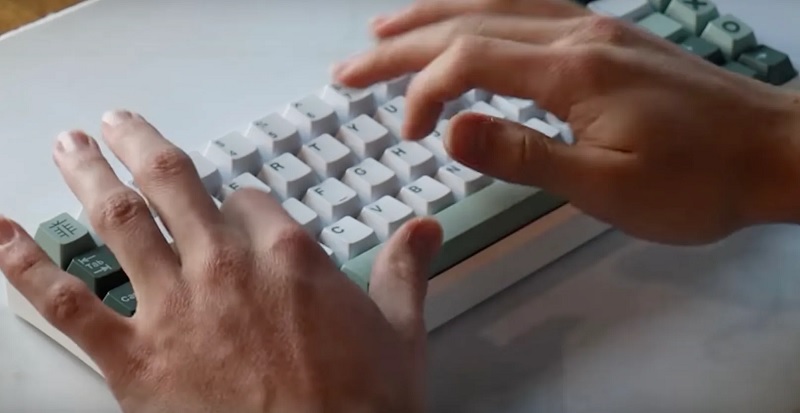
A keyboard switch sound tester is a device that lets you hear the different sounds produced by various mechanical keyboard switches. It’s incredibly useful if you’re considering customizing your keyboard or just curious about the wide range of switch sounds out there. The tester usually comes with multiple switch types mounted on a small board, allowing you to press each one individually.
When you use a keyboard sound tester, you’ll notice that each switch has a unique auditory profile. Some switches deliver a sharp, clicky noise, while others offer a quieter, more subdued sound. This can make a big difference in your typing experience, especially if you’re working in a shared space or prefer a specific kind of feedback.
Using a sound tester is straightforward. You just press down on each switch and listen to the sound it produces. Many testers also include keycaps, so you can get a feel for how the switches will sound and feel when fully assembled in a keyboard. This hands-on experience can be invaluable when making a decision about which switches are right for you. It’s a simple yet effective way to ensure you’re happy with your keyboard’s sound profile.
Popular Keyboard Switch Brands and Types
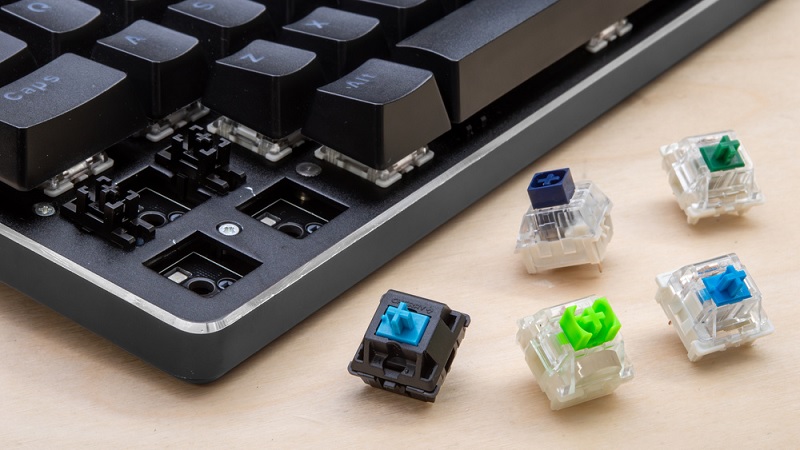
You’ll find that a few popular brands dominate the market when it comes to mechanical keyboard switches. Cherry MX, for instance, is a household name. Known for their reliability and variety, Cherry MX switches come in different colors like Red, Blue, and Brown, each offering a unique feel and sound.
Next up, you’ve got Gateron, often praised for their smoother actuation compared to Cherry MX. Gateron switches are also color-coded, with Red being linear and quiet, Blue offering a tactile bump with a click, and Brown providing a middle ground.
Kailh is another significant player. They offer a diverse range including the popular BOX series, which is known for its durability and dust resistance. Razer also has its line of switches, commonly found in their own branded keyboards. These switches are designed for gaming, offering high responsiveness and durability.
Benefits and Features of a Keyboard Switch Sound Tester
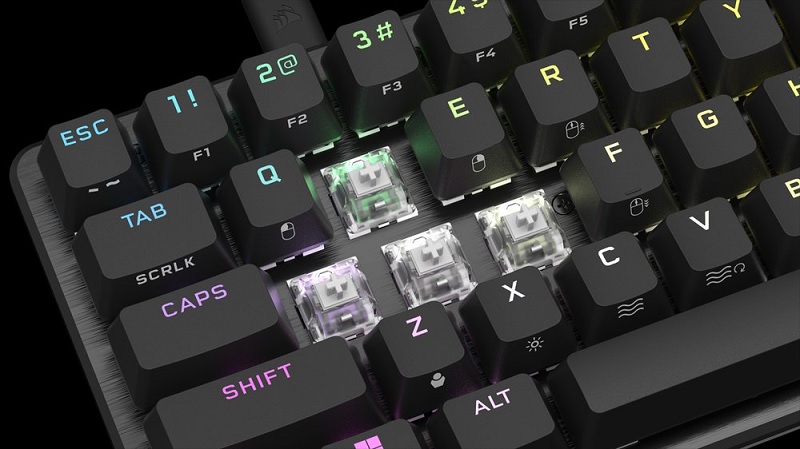
Investing in a keyboard switch sound tester can significantly enhance your typing and gaming experience by letting you find the perfect switch for your needs. One of the primary benefits is that it allows you to try out different switches without committing to a full keyboard. This means you can test the sound and feel of each switch type, whether you prefer a clicky, tactile, or linear switch, and make an informed decision based on your personal preference.
A key feature of these testers is their portability. Often compact and lightweight, you can easily carry them around to test switches in different environments. This versatility ensures you get a realistic sense of how each switch will perform in your usual settings.
Additionally, a sound tester often includes multiple switch types from different brands, giving you a broad spectrum to choose from. It’s a cost-effective way to explore various options without purchasing multiple keyboards. Some testers even come with keycaps, so you can experience the full feel of a switch.
Choosing the Right Keyboard Switch Sound Tester
When selecting the right keyboard switch sound tester, consider factors like switch variety, build quality, and portability to ensure it meets your specific needs. A tester that includes a wide range of switches gives you a broader understanding of what each type sounds and feels like. Look for one that covers popular options like Cherry MX, Gateron, and Kailh switches. This variety will help you make an informed choice for your actual keyboard.
Build quality is another crucial aspect. You don’t want a flimsy tester that might break after a few uses. Opt for a product with robust materials that can withstand repetitive testing. Pay attention to the base of the tester as well; a stable and sturdy base ensures that your switches are properly secured and gives you a consistent testing experience.
Lastly, consider portability. If you plan to take your tester to different locations—whether that’s a friend’s house, a gaming event, or a store—choose a compact and lightweight model. Portability ensures you can conveniently test switches without being tied down to one spot. By weighing these factors, you’ll find a tester that aligns perfectly with your needs.
Accessories and Tools for Keyboard Customization
Customizing your keyboard goes beyond just selecting the right switches; having the right accessories and tools can elevate your entire typing experience. Whether you’re looking to improve the feel, sound, or aesthetics of your keyboard, investing in a few key items can make a significant difference.
First and foremost, a good keycap puller is essential. It allows you to easily remove and replace keycaps without damaging them. Additionally, having a switch puller on hand simplifies the process of swapping out switches when you’re testing different types.
Lubricating your switches can dramatically change their feel and sound. A high-quality switch lube and a fine brush are indispensable for this task. Applying lube reduces friction, resulting in smoother keystrokes and quieter operation.
Lastly, a keyboard cleaning kit is invaluable for maintaining your setup. Dust and debris can accumulate over time, affecting both performance and aesthetics. Regular cleaning keeps your keyboard in top shape.
Here are four must-have items for keyboard customization:
- Keycap puller
- Switch puller
- Switch lube and brush
- Keyboard cleaning kit
With these tools, you’ll be well-equipped to personalize and maintain your keyboard, ensuring it meets your exact preferences.
Where to Buy a Keyboard Switch Sound Tester
Now that you’ve got the right tools for customization, let’s explore where you can buy a keyboard switch sound tester. The good news is, there are plenty of options available both online and in physical stores.
Firstly, check out major e-commerce platforms like Amazon and eBay. They offer a wide range of sound testers from various brands, often with customer reviews to help you make an informed choice. Look for sellers with high ratings to ensure you’re getting a quality product.
Specialized keyboard enthusiast sites like KBDfans, Drop, and MechanicalKeyboards.com are also excellent places to find sound testers. These sites often offer a curated selection of products specifically tailored to keyboard enthusiasts, ensuring you get a tester that meets your needs.
If you prefer shopping in person, big electronics retailers like Best Buy or Micro Center might have what you’re looking for. While their selection might not be as extensive, you can see the product firsthand.
Lastly, don’t overlook local and online keyboard enthusiast communities. Websites like Reddit’s r/MechanicalKeyboards or forums like Geekhack can provide valuable recommendations and even second-hand testers for sale.
Frequently Asked Questions
How Can I Clean and Maintain My Keyboard Switch Sound Tester?
To clean and maintain it, you’ll want to start by gently wiping down the surface with a soft, lint-free cloth. Avoid using harsh chemicals; a little isopropyl alcohol on the cloth works well. For deeper cleaning, you can carefully remove the keycaps and use compressed air to blow out any debris. Regularly check for dust or dirt buildup and clean it as needed to keep it in top condition.
Are There Any Mobile Apps to Simulate Keyboard Switch Sounds?
Yes, there are mobile apps that can simulate keyboard switch sounds. You’ll find a variety of apps available for both iOS and Android. These apps let you explore different switch sounds without needing the actual hardware. They’re great for getting a feel of what you might like before making a purchase. Just search for “keyboard switch sound simulator” in your app store, and you’ll find several options.
Can I Use a Sound Tester to Compare Switches From Different Keyboards?
Yes, you can definitely use a sound tester to compare switches from different keyboards. It’s a handy tool for figuring out which switch sounds you prefer before committing to buying anything. Just make sure the sound tester you choose has a good variety of switches. You’ll be able to hear the differences clearly and make an informed decision about what fits your typing or gaming needs best.
What Are Common Issues Faced With Keyboard Switch Sound Testers?
Imagine a painter with a mismatched palette. Using a sound tester, you’ll face issues like inconsistent sound profiles due to different materials, inconsistent recording environments, and varying force applied. It’s like trying to paint a sunset with the wrong shades. Calibration can be tricky, and sometimes the tester itself might not capture the subtleties. These factors can make comparisons as challenging as interpreting abstract art.
How Do I Properly Store My Keyboard Switch Sound Tester?
To properly store your tester, you’ll want to keep it in a cool, dry place to prevent any damage from moisture or extreme temperatures. Use a dedicated case or pouch to protect it from dust and physical damage. Make sure it’s not in direct sunlight and avoid placing heavy objects on top of it. Regularly check its condition to ensure it’s always ready for use.
Conclusion
Wrapping up, a keyboard switch sound tester is essential for customizing your typing experience. Did you know that 80% of mechanical keyboard enthusiasts use a sound tester before committing to new switches? With so many brands and types, it’s crucial to hear them before you buy. Remember to explore the right accessories and tools for customization. Ready to find your perfect sound? Head to specialized retailers and online stores to get started!